COMING SOON
Join our live demo today, Nov 09, at 1 PM Pacific / 4 PM Eastern
A full checkup for your FileMaker app.
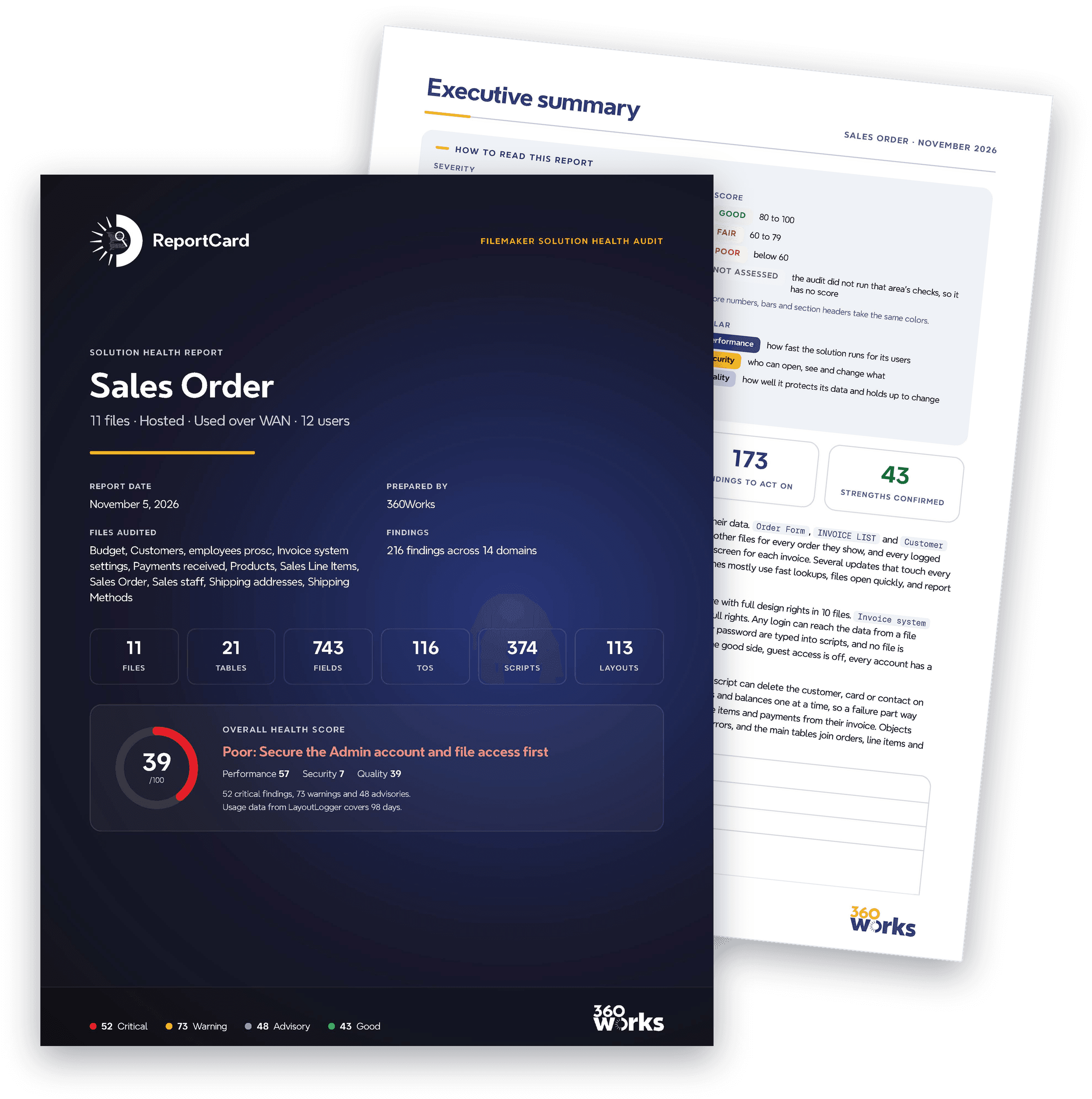
360Works ReportCard is a tool that does a deep, intelligent analysis on your FileMaker app. It provides a report of performance problems, security issues, and general code quality (e.g. broken scripts, bad naming conventions, and data model mistakes). The report card includes an executive summary, top priority issues to fix, and a comprehensive list of every problem found with explanations (often 50-100 pages).
Probably the most valuable and important feature of ReportCard is the security section. You’ll be alerted to simple issues like missing passwords, hard-coded passwords / API keys, and over-use of [Full Access] privileges. The report will also dive into more complex issues like editable fields used for record-level security, potential abuse for full-access scripts that take parameters, and weak passwords (by running a local penetration test).
Before committing to a rebuild, use ReportCard to help optimize, modernize, and cleanup your old legacy FileMaker app, or use it during new development to act as a consultant on best security practices and spot problems before they go into production.
From upload to action plan.
Three easy steps to get your check started.
- UploadUpload your file(s) and get a price quote at no cost.
- ReviewYour app is graded across 14 areas, then a second pass checks every finding.
- ReportDownload your report card and prioritized action plan.
Structure only. Never your records.
ReportCard reads how your file is built: tables, fields, relationships, scripts, layouts and security settings. It never looks at the records inside. You can upload an empty clone, or save a copy as XML and upload that to avoid exposing any sensitive data or passwords.
Answers you can act on.
Every report opens with your overall score and a summary, then a prioritized plan where each item explains why it matters, what it affects, and how big the job is.
- Overall score out of 100
- Executive summary
- Scorecard for all 14 areas
- Prioritized action plan
- A card for every top finding: why it matters, impact, effort
What we grade.
Your overall score is out of 100, built from three pillars.
Performance · 55%
Nine areas: indexing and storage, calculations, relationships, scripts, layouts and rendering, network and hosting, containers and file size, startup and triggers, and searches and finds.
Security · 30%
Your security posture: accounts, privileges, passwords sitting inside scripts, encryption, and who can change what.
Quality · 15%
Four areas: naming consistency, script robustness, organization and tidiness, and your data model.
Each area starts at 100 and loses points for every issue found, weighted by how serious it is.
When teams use it.
Tech debt cleanup
Inherited a file someone else built? Get a ranked list of what to clean up first.
Speed
Find the calculations, layouts and scripts that slow remote users down.
Ready to scale
Know what will strain before you add users, data or locations.
Security audit
See exposed passwords, open accounts and privilege gaps in one place.
Second opinion
Check a contractor's work before you sign off, or get an outside view of your own.
Before an upgrade
Find what needs attention before you move servers or upgrade FileMaker.
Locked down by design.
Isolated
Every review runs in its own sealed-off environment.
No internet access
The review can't go online, so your file stays put.
Walled off
ReportCard can't reach any other system, ours or yours.
Encrypted
Everything is encrypted.
Deleted after 7 days
We keep your uploaded files up to 7 days for troubleshooting, then delete them for good.
Common questions.
Yes, this is fully supported.
No. You upload your empty FileMaker file, and ReportCard reads only its structure: tables, fields, relationships, scripts, layouts and security settings. If you upload a file that is not empty, ReportCard never looks at the records inside.
ReportCard uses AI, and every file is different, so the price depends on how much work your file takes. We read your file for free and give you a final quote. The review runs only after you pay.
Yes. Our developers can tackle any item on your action plan. Tell us what you need and we will get you a cost estimate to repair / improve it.